
Facebook Ad Library Search Tools Guide
If you rely on Meta ads for growth, you already know the problem: the official Facebook Ad Library is useful, but it is not built for speed, large-scale monitoring, or clean competitive intelligence workflows.
Media buyers want to find winning creatives fast. Agencies need to monitor multiple brands at once. E-commerce operators want to spot active offers and product angles before markets saturate. Developers need structured data, not endless manual clicking. And non-technical teams need something easier than maintaining custom scraping scripts, proxy pools, and browser automation.
This guide explains how the facebook ad library works, how facebook ad library search can be used for practical competitor research, how to review a facebook page ad library, and when it makes sense to move from the native Meta interface to a purpose-built facebook ad library tool like Adspyre.
“Meta launched the Ad Library in March 2019 to enhance transparency in advertising across its platforms, including Facebook and Instagram.” – Source
“Very large online platforms are required to maintain publicly accessible repositories of advertisements.” – Source
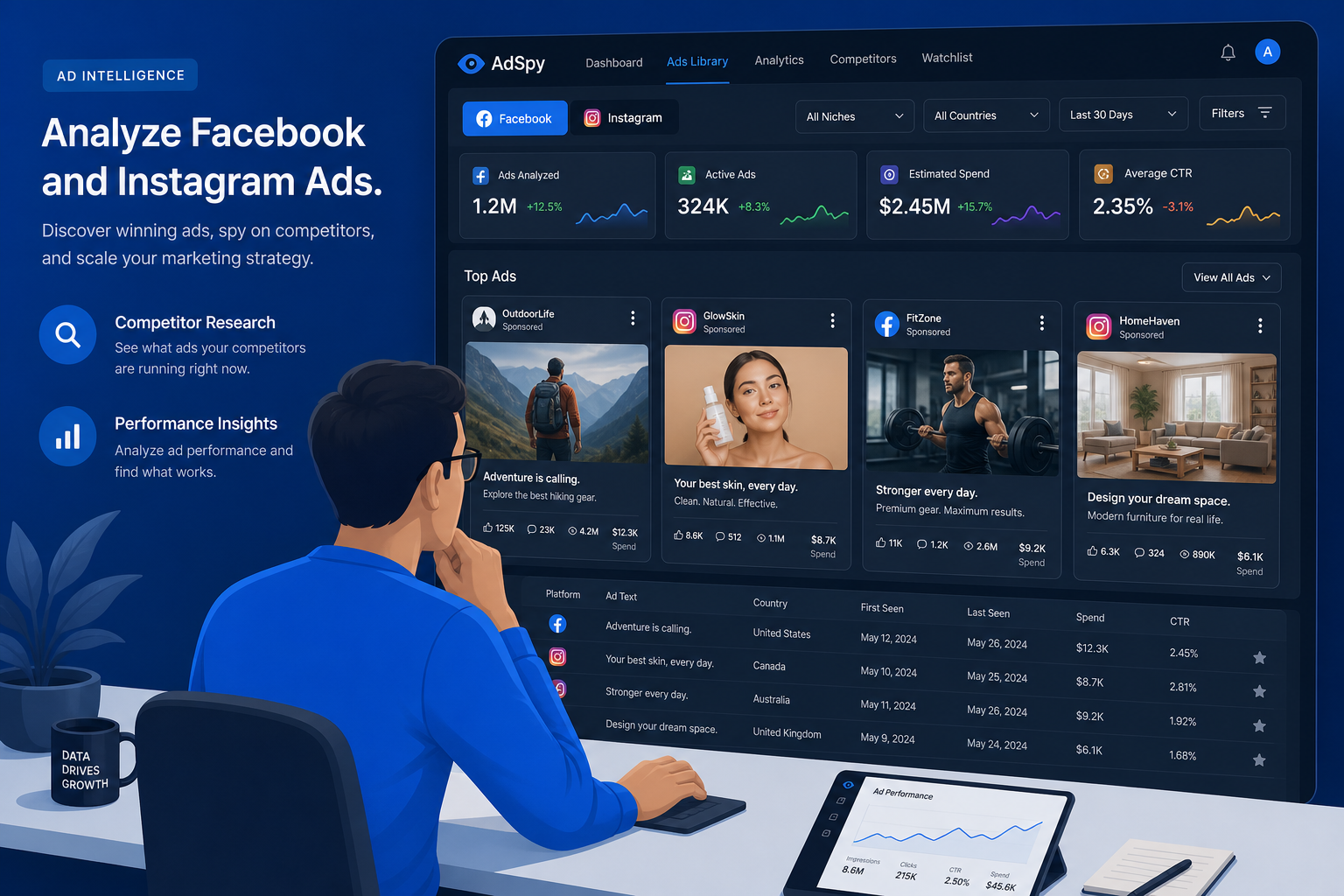
What the Facebook Ad Library Actually Is
The facebook advertising library, now commonly referred to as the Meta Ad Library, is Meta’s public transparency database for ads running across Facebook, Instagram, Messenger, and related Meta surfaces.
At a high level, it lets you:
-
Search active commercial ads by advertiser or keyword
-
View creative assets like images, videos, and copy
-
See which platforms an ad is running on
-
Review when an ad started running
-
Access expanded transparency data for political, issue, and certain regulated ads
-
Explore branded content partnerships
For marketers, the platform has evolved from a transparency resource into a baseline competitor research tool. It is often the first place teams go when they want to answer questions like:
-
What creative is my competitor running right now?
-
Are they pushing discounts, bundles, or lead magnets?
-
Are they localizing ad copy by country?
-
Which hooks keep appearing across multiple ad variants?
-
How aggressively are they testing?
Why So Many Marketers Search for Facebook Ad Library Tools
The native library is helpful, but it was not designed to solve modern ad intelligence workflows end to end.
Typical frustrations include:
-
Manual search is slow
-
Results can be cluttered and inconsistent
-
It is hard to monitor competitors continuously
-
Structured exports are limited
-
Deduplication is poor for serious data analysis
-
Teams cannot easily operationalize findings across dashboards, alerts, and internal reporting
-
Developers often need to build custom infrastructure just to extract usable data at scale
That is why demand for a dedicated facebook ad library tool has exploded. Teams need a faster layer on top of public ad data – one that turns raw listings into actionable intelligence.
This is exactly where Adspyre fits. Instead of forcing users to stitch together scraping scripts, proxy vendors, anti-bot workarounds, HTML parsers, spreadsheet cleanups, and monitoring logic, Adspyre delivers clean, deduplicated Facebook and Instagram ad data in under 30 seconds through both a no-code dashboard and a production-grade API.
How Facebook Ad Library Search Works
At a basic level, facebook ad library search starts with a few key filters:
-
Country
-
Ad category
-
Advertiser name or keyword
-
Media type
-
Platform
-
Status
The workflow is simple, but the quality of your output depends entirely on how you search.
Core Search Inputs
1. Advertiser Name
Best when you already know the brand, page, or company you want to investigate.
Use this when you want to answer:
-
What is Brand X running now?
-
How many active ads does this page have?
-
Are they using one core angle or multiple campaign themes?
2. Keyword Search
Best for broad discovery and market research.
Use this when you want to answer:
-
Which brands are advertising around “summer weight loss”?
-
What copy patterns appear around “CRM software”?
-
What offers are trending in “pet supplements”?
3. Country Filter
Critical for localized research. Many brands run completely different campaigns by geography.
This matters because:
-
Offers vary by market
-
Compliance language differs
-
Pricing and positioning change by region
-
Ad saturation is not evenly distributed
4. Ad Category
Meta separates certain regulated categories such as:
-
Issues, elections, or politics
-
Housing or property-related categories in certain contexts
-
Employment
-
Financial products and services
If you are in a regulated vertical, category selection is not optional. It determines what inventory you can see and what extra transparency fields may be available.
A Quick Look at the Official Interface
The official Meta interface is still the starting point for most users.
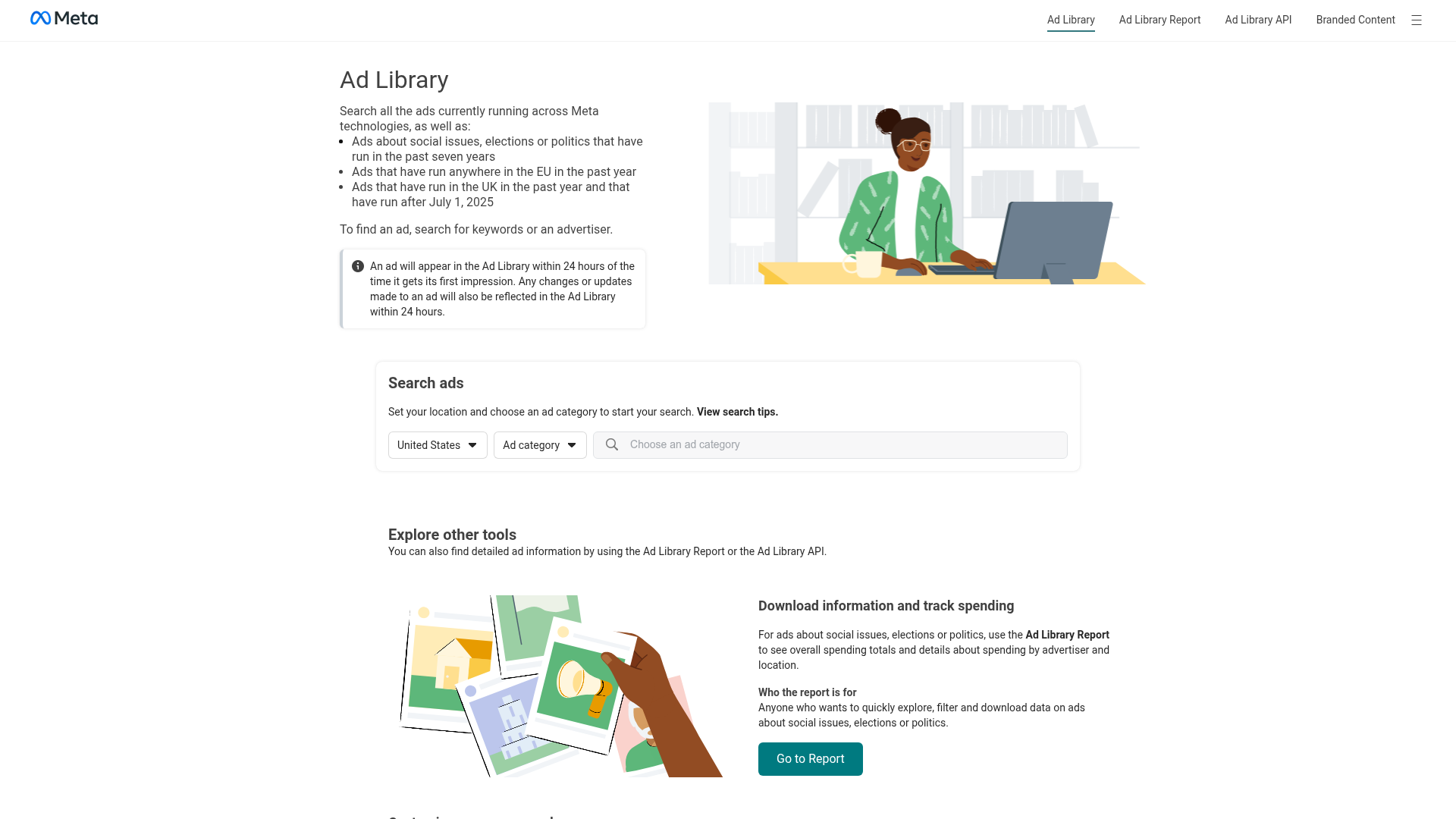
The challenge is not access. The challenge is speed, structure, and scale.
For a solo marketer doing occasional checks, the native interface may be enough. For any team doing repeated campaign analysis, competitor monitoring, creative intelligence, or large-volume extraction, it quickly becomes operationally inefficient.
How to Use a Facebook Page Ad Library for Competitor Research
A facebook page ad library review is one of the fastest ways to understand how a brand is acquiring customers right now.
When you open a company’s page-level ad listings, do not just look at the first creative and leave. The goal is to map the advertiser’s strategy.
What to Analyze First
Creative Volume
Count the number of active ads and variants.
This helps you estimate:
-
Testing intensity
-
Campaign breadth
-
Funnel segmentation
-
Market aggressiveness
A page running 8 ads is behaving differently from one running 800.
Offer Structure
Look for repeated commercial patterns such as:
-
Percentage discounts
-
Buy-one-get-one offers
-
Free trial messaging
-
Free shipping
-
Bundled products
-
Lead generation hooks
-
Urgency language
Hook Diversity
Study the opening lines and visual first impressions.
Common hook types include:
-
Problem agitation
-
Outcome-first promise
-
Social proof
-
Authority
-
Curiosity
-
Price anchoring
-
Before-and-after framing
Format Mix
Check whether the brand is leaning into:
-
Static images
-
UGC-style video
-
Polished studio video
-
Carousel ads
-
Reels-style cuts
-
Testimonial creatives
Platform Distribution
Compare whether ads appear on:
-
Facebook only
-
Instagram only
-
Both Facebook and Instagram
-
Additional Meta placements
This often reveals audience assumptions. Many brands use distinct creative styles by placement.
What Advanced Teams Look For
The real signal is not just “what ads exist.” It is pattern recognition across the account.
Look for:
-
Repeated winning products
-
Persistent hooks across months
-
Seasonal offers returning year after year
-
Geographic segmentation
-
Creative clusters built around different buyer personas
-
Price point testing
-
Ad refresh frequency
These are the clues that tell you which campaigns are likely generating enough traction to justify continued spend.
What the Native Facebook Advertising Library Shows
The facebook advertising library is useful because it exposes more than many advertisers would prefer their competitors to see.
Typical Data Available for Commercial Ads
|
Data Point |
Usually Available |
|---|---|
|
Ad creative |
Yes |
|
Primary text |
Yes |
|
Headline |
Often |
|
Call-to-action |
Often |
|
Advertiser/Page name |
Yes |
|
Platform placement |
Yes |
|
Start date |
Yes |
|
Active status |
Yes |
|
Ad variants |
Sometimes visible |
Additional Transparency in Some Cases
For political or specially regulated ads, or in certain jurisdictions, you may also see expanded details such as:
-
Spending ranges
-
Impression ranges
-
Demographic distribution
-
Geographic delivery data
-
Payer information
-
Targeting-related transparency fields
This additional visibility is useful, but it is not universally available across all commercial inventory.
What the Native Tool Does Not Do Well
This is where most competing guides stop too early. They explain the search mechanics, but not the operational limitations.
The official library is not optimized for:
-
Fast extraction into structured datasets
-
Continuous 24/7 competitor monitoring
-
Real-time launch detection
-
Clean deduplicated ad records
-
Scalable exports for teams
-
Alerting workflows
-
Internal dashboard integrations
-
Developer-friendly data delivery
-
Enterprise-grade uptime for repeated production use
In other words, it is a transparency database – not a complete ad intelligence system.
The Biggest Content Gap in Most Guides: Search Is Not the Same as Intelligence
A lot of articles explain how to “search the Facebook Ad Library.” Fewer explain how to turn what you find into a system.
Search gives you visibility. Intelligence gives you decisions.
Search Alone Tells You:
-
A competitor is running ads
-
The creative exists
-
The ad started on a certain date
Intelligence Tells You:
-
Which product angle appears repeatedly
-
Which markets are active now
-
What creative themes survive over time
-
When new ads launch in real time
-
How to route findings to the right buyer, strategist, or client team
-
Which campaigns deserve immediate response
This distinction matters. Teams that win do not just browse ads. They build repeatable workflows around ad signals.
A Better Workflow for Facebook Ad Library Search
Here is a more effective process than simply typing in a brand name and scrolling.
Step 1: Define the Competitive Set
Create a list of:
-
Direct competitors
-
Adjacent category players
-
Emerging disruptors
-
High-spend aspirational brands
Step 2: Segment by Research Goal
Separate searches into buckets like:
-
Product discovery
-
Offer analysis
-
Creative inspiration
-
Market entry research
-
Client reporting
-
Compliance review
Step 3: Capture Structured Fields
Do not rely on screenshots alone. Track:
-
Brand
-
Page name
-
Ad text
-
Hook
-
Offer
-
Format
-
Platform
-
Country
-
First seen date
-
Last seen date
-
Product category
-
Landing narrative
-
Creative angle
Step 4: Deduplicate Variants
Many data pulls become messy because similar creatives appear with minor differences.
This is one of Adspyre’s strongest advantages: it delivers clean, deduplicated structured data, saving teams from hours of spreadsheet cleanup and reducing analysis errors.
Step 5: Set Monitoring Rules
Monitor the pages and keywords that matter most.
With Adspyre, teams can automate this through:
-
Real-time webhooks
-
Telegram alerts
-
24/7 competitor monitoring
-
CSV and Excel exports
-
API-driven workflows for analytics and internal tools
This turns passive research into active intelligence.
Why Adspyre Is More Than a Facebook Ad Library Tool
Most tools in this category either look nice but lack infrastructure, or provide raw scraping access without usability.
Adspyre is built to remove both problems.
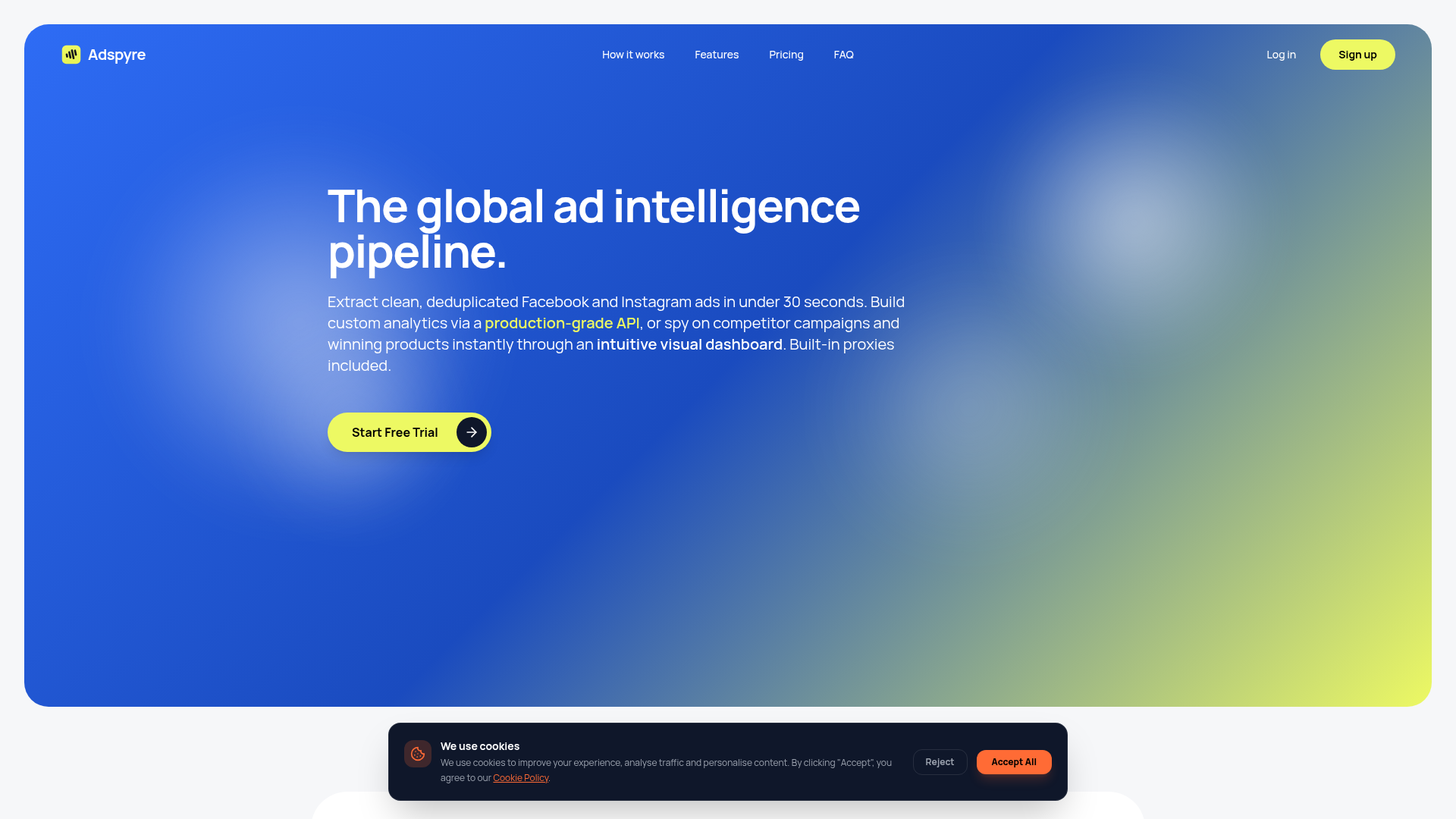
What Adspyre Solves
|
Capability |
Native Meta Library |
Adspyre |
|---|---|---|
|
Basic ad search |
Yes |
Yes |
|
Fast extraction |
Limited/manual |
Yes, under 30 seconds |
|
Structured JSON output |
No practical native workflow |
Yes |
|
Global Meta coverage |
Limited by manual workflows |
Yes, without geographic restrictions |
|
Built-in proxies |
No |
Yes |
|
Extra proxy fees |
Often required in custom setups |
No |
|
Anti-bot bypass |
No |
Yes |
|
Browser emulation |
No |
Yes |
|
Deduplicated records |
No |
Yes |
|
No-code dashboard |
Basic public UI only |
Yes |
|
Production-grade API |
Limited and context-dependent |
Yes |
|
Real-time alerts |
No |
Yes |
|
Telegram notifications |
No |
Yes |
|
CSV/Excel export |
Limited/manual |
Yes |
|
24/7 competitor monitoring |
No |
Yes |
|
SLA-backed infrastructure |
No |
Yes, 99.99% SLA |
Why This Matters in Practice
For performance teams, speed is money. If a competitor launches a new winning offer today, waiting days to manually discover it is a real disadvantage.
Adspyre is designed for:
-
Media buyers who need to react fast
-
Agencies managing multiple client verticals
-
E-commerce teams hunting winning products
-
Growth marketers validating message-market fit
-
Competitor intelligence teams building repeatable surveillance
-
Developers needing stable API delivery
-
Non-technical operators who want all of this without code
How Developers Should Think About Facebook Ad Library Data
A major blind spot in competitor content is the technical workflow after discovery.
Developers rarely need “another UI.” They need:
-
Fast retrieval
-
Stable schema
-
Low maintenance
-
Scalable throughput
-
Reliable uptime
-
Integration hooks
Custom scraping sounds attractive until the real workload begins:
-
Residential proxy management
-
Browser fingerprinting
-
CAPTCHA and anti-bot handling
-
DOM changes
-
Headless browser maintenance
-
Request retries
-
Geo rotation
-
Parsing inconsistencies
-
Data deduplication
-
Alert delivery
-
SLA accountability
Adspyre removes that overhead with a production-grade API, built-in residential proxy rotation, browser emulation, and anti-bot bypass handled at the platform layer. That means engineering teams can focus on analytics, enrichment, and internal reporting instead of infrastructure firefighting.
How Non-Technical Teams Benefit From a No-Code Dashboard
Not every user wants API access. Many just want answers.
A good ad intelligence platform should make it easy to:
-
Search brands instantly
-
Review active campaigns
-
Track competitor activity over time
-
Export clean reports
-
Share findings internally
-
Detect market shifts quickly
Adspyre’s no-code dashboard is valuable because it gives non-technical users direct access to structured competitor intelligence without relying on developers, analysts, or fragile manual processes.
This is especially important for:
-
Account managers
-
Client strategists
-
Brand owners
-
Junior media buyers
-
Sales enablement teams
-
Operations teams supporting campaign research
How to Find Winning Ads Faster
A high-performing facebook ad library search process is less about one magic filter and more about identifying strong signals.
Strong Signals to Watch
Longevity
If an ad or angle keeps appearing over time, it is more likely to be working.
Variant Expansion
When a brand scales variations around a concept, they are usually optimizing around a proven core idea.
Offer Repetition
Repeated bundles, discounts, or positioning suggest commercial traction.
Multi-Market Reuse
When the same ad concept appears across countries, it often signals a scalable winner.
Format Persistence
If a brand keeps investing in one format, it is probably aligned with performance or audience behavior.
The Problem With Manual Discovery
By the time a human notices these patterns manually, the market may have already moved.
Adspyre helps teams discover:
-
Winning products instantly
-
Active campaigns the moment they appear
-
Repeated competitor patterns at scale
-
Launches worth escalating to buying teams immediately
That speed advantage is often the difference between reacting and leading.
Practical Use Cases by Team Type
For Media Buyers
Use the facebook ad library to:
-
Track direct competitors
-
Discover fresh hooks
-
Compare offer structures
-
Spot market fatigue before your own CTR declines
Adspyre adds speed, alerts, and cleaner datasets so you can act on these findings faster.
For Agencies
Use a facebook page ad library review to:
-
Audit new client competitors
-
Build creative testing roadmaps
-
Back strategic recommendations with live market evidence
-
Monitor multiple brands continuously
Adspyre reduces manual research time and creates a repeatable competitive intelligence layer for every client account.
For E-commerce Operators
Use the facebook advertising library to:
-
Discover trending product angles
-
Compare direct-response creatives
-
Track seasonal pivots
-
Identify aggressive offer patterns in your niche
Adspyre makes product discovery faster by surfacing active campaigns globally and removing geography-based friction.
For Growth and Research Teams
Use facebook ad library search for:
-
Messaging research
-
Positioning validation
-
Category expansion analysis
-
Market entry intelligence
Adspyre is especially useful here because it supports structured exports and analytics-ready workflows.
For Developers and Data Teams
Use ad data to:
-
Feed BI dashboards
-
Power internal alerts
-
Support enrichment models
-
Build custom competitor scoring
-
Trigger CRM or Slack workflows
Adspyre’s API and webhook stack are built for this exact use case.
Common Mistakes When Using the Facebook Ad Library
Mistake 1: Looking at Single Ads Instead of Patterns
One ad rarely tells the full story. Strategy emerges across clusters.
Mistake 2: Ignoring Geography
What works in the US may not match what is running in the UK, EU, LATAM, or APAC.
Mistake 3: Confusing Visibility With Performance
Not every active ad is a winner. The best you can do is infer from persistence, variation, and campaign density.
Mistake 4: Relying on Manual Screenshots
Screenshots are useful for presentations, but weak for analysis. Structured extraction is better.
Mistake 5: Building Fragile Custom Scrapers Too Early
Many teams underestimate maintenance costs. A stable vendor can be cheaper than constant engineering upkeep.
Mistake 6: Failing to Alert on Change
Discovery without monitoring means you are always late.
When the Official Tool Is Enough – and When It Is Not
The Native Meta Library Is Enough If:
-
You do occasional spot checks
-
You only monitor a few brands
-
You do not need structured exports
-
You are not integrating data into internal systems
You Need a Dedicated Facebook Ad Library Tool If:
-
You monitor many advertisers
-
You need ad data in under 30 seconds
-
You want global coverage without geographic restrictions
-
You need deduplicated records
-
You want built-in proxies and anti-bot handling
-
You need CSV/Excel exports
-
You want webhooks or Telegram alerts
-
You need API access for analytics or client dashboards
-
You want to stop maintaining brittle scraping infrastructure
That second category is where Adspyre is strongest.
A Smarter Evaluation Framework for Facebook Ad Intelligence Tools
If you are comparing solutions, do not just ask whether a tool can “search ads.”
Ask:
|
Evaluation Question |
Why It Matters |
|---|---|
|
How fast is data extraction? |
Speed affects response time and campaign agility |
|
Is the data deduplicated? |
Dirty records create bad analysis |
|
Are proxies included? |
External proxy spend adds hidden cost |
|
Is global Meta coverage supported? |
Geo limitations distort research |
|
Is there a no-code UI? |
Non-technical adoption matters |
|
Is there an API? |
Technical teams need direct integration |
|
Are alerts available? |
Monitoring beats manual checking |
|
Can data be exported cleanly? |
Reporting and analysis depend on it |
|
How reliable is the infrastructure? |
Downtime breaks workflows |
|
How much maintenance is required? |
Internal engineering time is expensive |
On these criteria, Adspyre is built for serious operational use – not just surface-level ad browsing.
Final Verdict
The facebook ad library is still the foundation for Meta ad transparency and a useful starting point for competitor research. It helps marketers discover active creatives, review advertiser behavior, and understand how brands position products across Facebook and Instagram.
But the native experience is only the beginning.
If your team needs more than casual search – if you need fast extraction, clean structured data, global Meta coverage, built-in proxy rotation, real-time alerts, exports, API access, and enterprise reliability – then you need more than the standard facebook advertising library interface.
You need a platform built for speed, scale, and decision-making.
Adspyre gives you exactly that:
-
Facebook and Instagram ad extraction in under 30 seconds
-
Clean, deduplicated structured data
-
Global Meta ad coverage without geographic restrictions
-
Built-in residential proxies with no extra proxy fees
-
A no-code dashboard for non-technical users
-
A production-grade API for custom analytics and integrations
-
Real-time webhooks and Telegram alerts
-
24/7 competitor monitoring
-
CSV and Excel exports
-
Anti-bot bypass and browser emulation
-
99.99% SLA reliability
-
Lower maintenance than custom scraping scripts
-
Faster discovery of winning products and active campaigns
If your goal is not just to search ads but to turn ad visibility into competitive advantage, Adspyre is the smarter move.